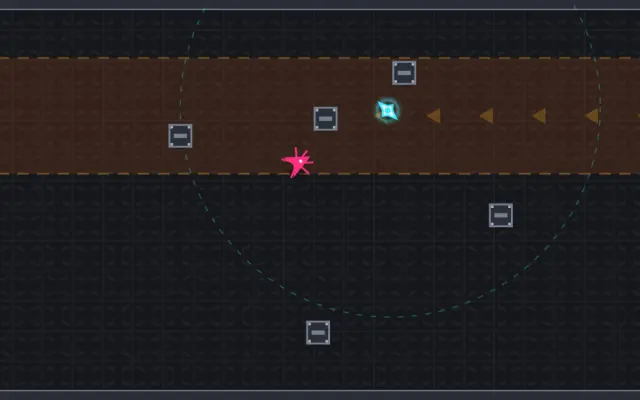
Shunt
Built with generous tap targets for a thumb on a phone and a tall vertical yard projection. No joystick required.
Play ShuntPortrait touch vs. desktop
Of the 14 games on Caper Arcade, nine play comfortably on a phone in portrait mode with native touch controls — led by Shunt, Lockwork, Marginalia, Nightline, Inkshot, Ghost Circuit, Chainshift, Galumph, and Jolt. The 3D shooters and coastal racer (Block Party, Brownout, Vault Rush, Gatecrash) support touch too, but they are plainly better on desktop or sideways in landscape.
These games re-lay out their arena, board, or puzzle specifically for a tall phone screen and keep controls to simple taps or a single virtual stick.
Built with generous tap targets for a thumb on a phone and a tall vertical yard projection. No joystick required.
Play Shunt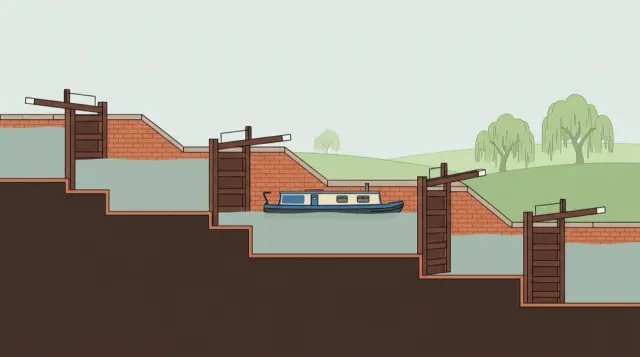
Switches to a square portrait lock view with 44px touch targets for opening paddles, gates, and moving the boat.
Play Lockwork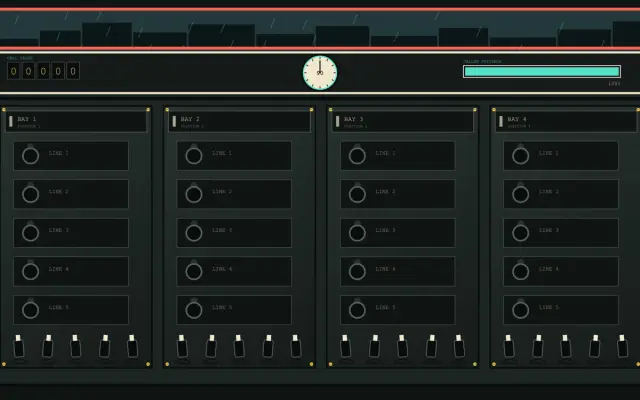
Has a dedicated 900×1600 portrait switchboard layout so dragging plugs between jacks works smoothly by finger.
Play NightlineEvery game runs in a mobile browser, but not every genre suits portrait touch equally.
| Game | What it is | Players | Length | Where it plays best | Link |
|---|---|---|---|---|---|
| Shunt | One-button swap arcade game in a rail yard. | Solo | Endless until hit | Phone portrait (one-thumb) or desktop | Play Shunt |
| Lockwork | Five-flight canal lock puzzle with water budgets. | Solo | 5 puzzles (untimed) | Phone portrait or desktop | Play Lockwork |
| Marginalia | Reach for gold in a medieval book margin. | 2–6 players | 8 pages (under 2 min) | Phone portrait or desktop | Play Marginalia |
| Nightline | Co-op midnight telephone switchboard. | 2–4 players | 90 sec | Phone portrait or desktop | Play Nightline |
| Inkshot | Single bouncing ink orb arcade arena. | Solo | Endless waves (3 HP) | Phone portrait or desktop | Play Inkshot |
| Ghost Circuit | Collect sparks while chased by 7-second echoes. | Solo | 63 sec | Phone portrait or desktop | Play Ghost Circuit |
| Chainshift | Swing towed cargo through security drones. | Solo | 70 sec | Phone portrait or desktop | Play Chainshift |
| Galumph | One leg each on a co-op walking machine. | 1–4 players | 95 sec | Phone portrait or desktop | Play Galumph |
| Jolt | Shove or yank rivals off a shrinking disc. | 2–6 players | First to 5 rounds | Phone (touch stick) or desktop | Play Jolt |
| Top Billing | Trapeze versus game over a circus net. | 2–4 players | 105 sec | Better on desktop or landscape phone | Play Top Billing |
| Gatecrash | Eight-car coastal racer with paid shortcuts. | 8 cars | 3 laps (up to 7 min) | Better on desktop (touch supported) | Play Gatecrash |
| Vault Rush | Six-player 3D museum heist before lockdown. | 1–6 players | 8 min | Better on desktop (touch supported) | Play Vault Rush |
| Brownout | Twelve-player 3D switchyard team deathmatch. | 1–12 players | 10 kills/player (up to 7 min) | Better on desktop (touch supported) | Play Brownout |
| Block Party | Ten-player 3D cul-de-sac arena shooter. | Up to 10 players | Up to 4 min | Better on desktop or landscape phone | Play Block Party |
Shunt, Lockwork, Marginalia, Nightline, Galumph, Inkshot, Ghost Circuit, and Chainshift all adapt directly to a tall portrait phone screen without feeling cramped. Shunt, Lockwork, Marginalia, and Galumph can even be played comfortably one-handed.
Block Party, Brownout, Vault Rush, and Gatecrash are 3D action games that work with touch controls but ask for dual-thumb aiming or multi-button driving. Mouse and keyboard give much cleaner aim and movement, and Block Party specifically asks you to turn your phone sideways.
No. Every game runs directly in Safari, Chrome, or Firefox on your phone with zero download and no account.
Yes. The multiplayer rooms are shared across phones and desktops. Sending a private room link or code lets everyone join the same match regardless of device.